How to Explain LLM Features to Users Who Don't Care About AI


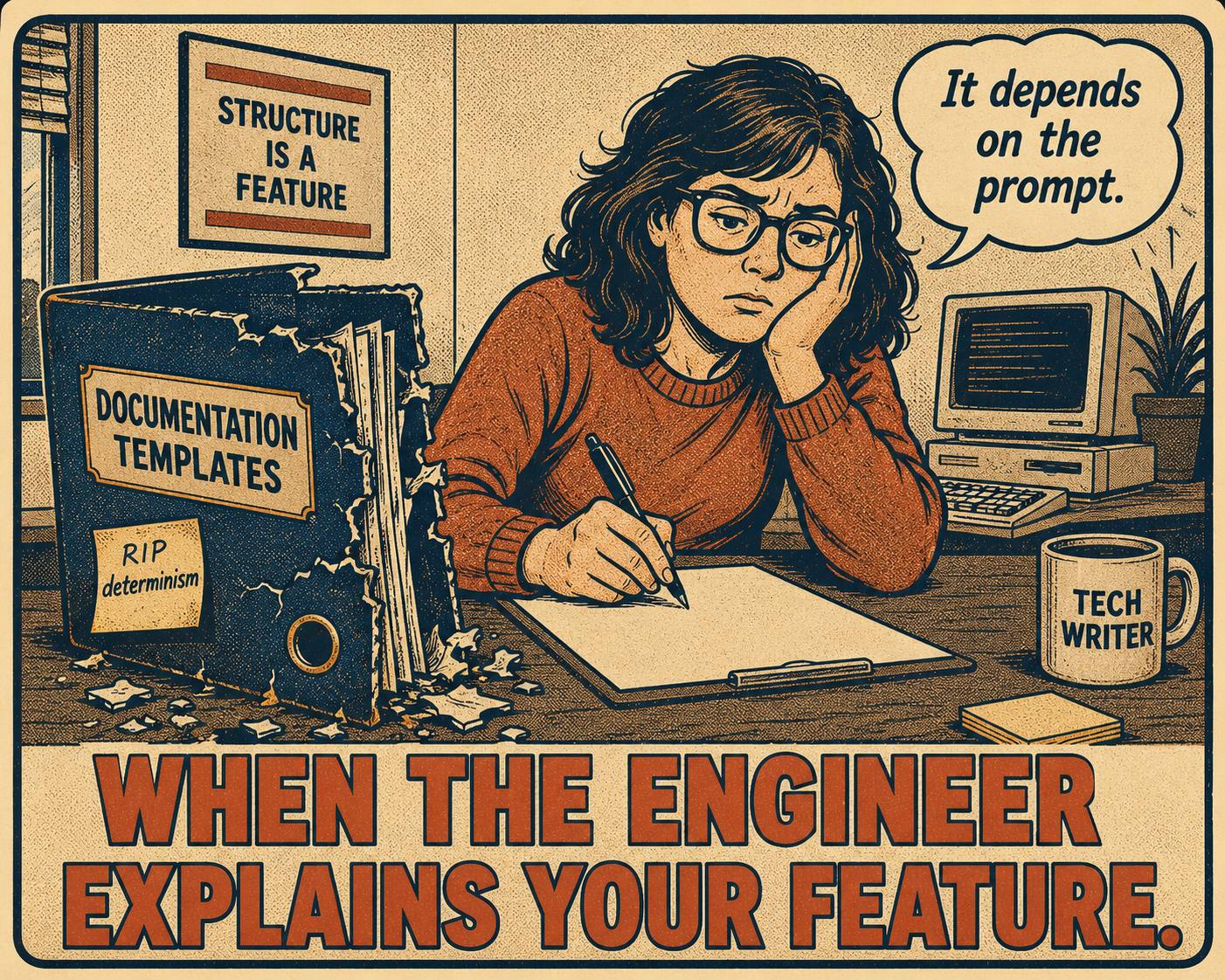
You sit down with the engineering lead to document the new feature.
It is an LLM-powered assistant. Your job is to explain it to the users. You ask the engineer for the exact steps to achieve a specific outcome.
"Well," the engineer says. "It depends on the prompt."
You ask what the output will look like.
"It varies," they say.
You ask for the error states.
"It might hallucinate," they offer helpfully.
Every template you have for writing software documentation just broke. Traditional documentation is built on a promise. If the user clicks X, then Y happens. It is deterministic. It is reproducible.
Large language models do not make that promise. They are probabilistic. They are context-sensitive. They produce outputs that shift based on subtle changes in phrasing, conversation history, or system prompts the user never sees. The same prompt can produce meaningfully different results across model releases.
Users do not care about the underlying architecture. They just want the feature to work. Explaining an LLM feature to a non-technical user requires abandoning the deterministic playbook and building a new set of patterns for documenting probability.
Anyway. We have to figure out how to write these docs.
Finding the Right Mental Model
The first thing documentation needs to give users is a way to think about the tool.
If you frame the feature as a calculator, users will expect perfect precision. If you frame it as a search engine, they will expect factual retrieval. Both models lead to frustration when the LLM inevitably behaves like an LLM.
Users tend to conceptualize AI assistants in one of three ways: as an interface, as a personal assistant, or as a repository of knowledge. The "assistant" model is generally the most useful for setting realistic expectations. An assistant is capable but fallible. An assistant needs clear instructions. An assistant might misunderstand you if you are vague.
But the specific analogy matters. If the feature summarizes documents, frame it as a diligent reader who works quickly but needs you to check the facts. If it generates code, frame it as a junior developer who writes fast and needs review. The goal is a metaphor that makes the tool's behavior predictable without requiring users to understand machine learning.
The analogy also shapes how users respond when things go wrong. A user who thinks of the feature as a search engine will be confused when it produces an answer that is plausible but wrong. A user who thinks of it as an assistant will understand that the assistant needs better instructions.
Talking About Failure Without Breaking Trust
The model will get things wrong. You have to tell the user this.
But how you tell them matters enormously. If you say "the AI hallucinates," you sound like you are warning them about a defective product. If you say "it makes mistakes," you erode confidence before they even start. Hallucinations are not random glitches; they are a structural property of how language models are trained, rooted in the fact that models are optimized to generate plausible language rather than verified facts.
Trust in AI systems is fragile and asymmetric. It drops much faster from failures than it builds from successes. The goal is calibrated trust: the user's confidence in the tool should match the tool's actual capabilities, not exceed them.
Frame limitations as conditions of use, not inherent flaws.
Before: "The AI may hallucinate facts. Always verify the output."
After: "The assistant generates drafts based on patterns, not a database of verified facts. Before publishing, review specific dates, names, and statistics."
The first version undermines the product. The second explains the operational reality. It tells the user what the tool is good at (drafting) and where human oversight is required (verification of specifics). The distinction is not cosmetic. The five goals of AI communication are understandability, trustworthiness, transparency, controllability, and fairness, and they are often in tension. Framing limitations as conditions of use addresses all five simultaneously.
Writing Instructions for Moving Targets
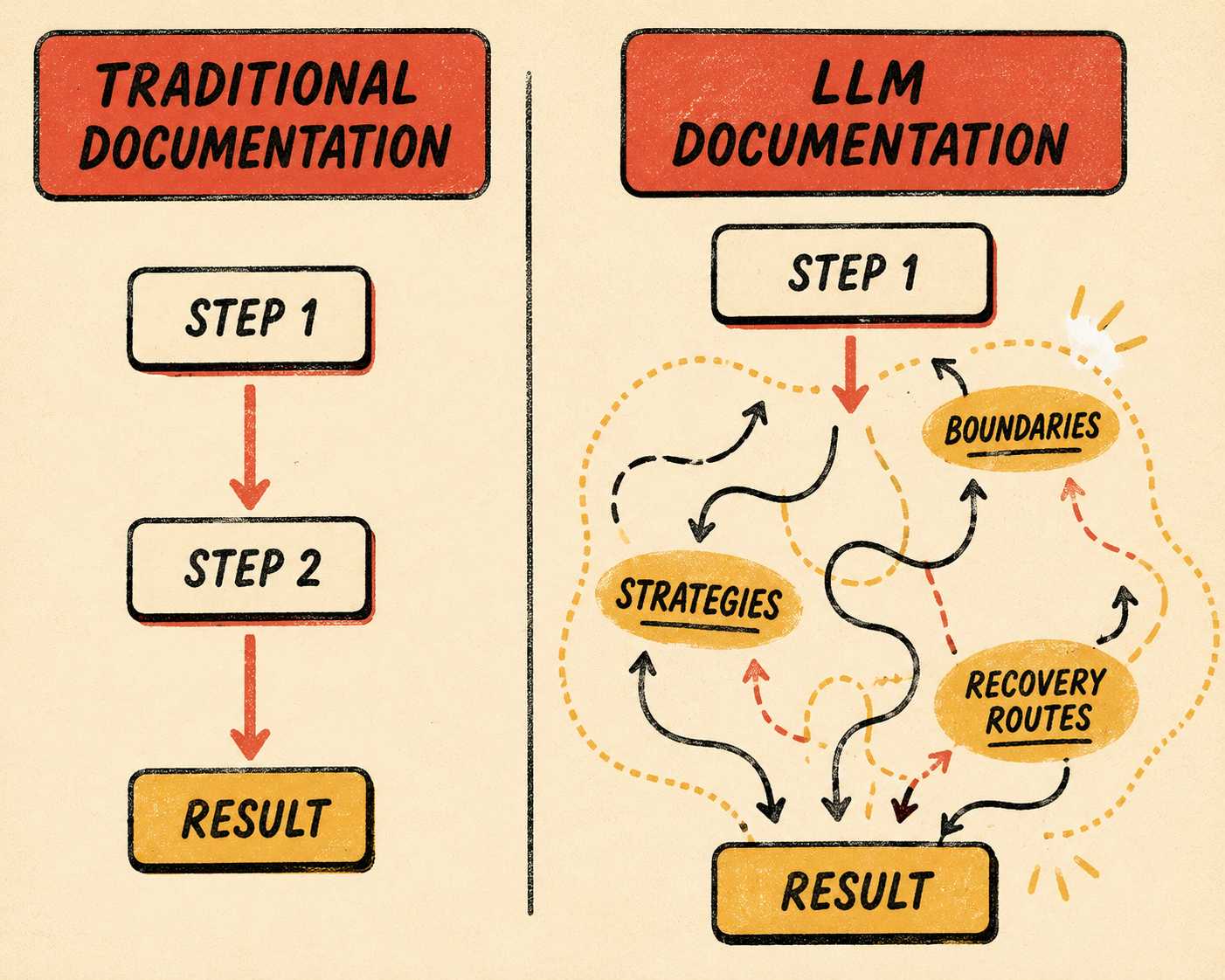
Traditional instructions are linear. Step one, step two, expected result.
You cannot write linear instructions for non-deterministic software. The same input can produce meaningfully different outputs across sessions. This is not a bug. Probabilistic systems have long tails, not edge cases.
Instead of documenting exact paths, document boundaries and strategies.
Tell the user what the tool is optimized for. Tell them what it struggles with. Give them examples of good inputs and the kinds of outputs those inputs generally produce.
Before: "Click Generate to create a summary. The summary will appear in the text field."
After: "Click Generate to create a draft summary. The tool works best with documents under 10 pages. For longer documents, summarize one section at a time. The output will vary in length and structure; use it as a starting point."
Provide strategies for recovery. When a traditional feature fails, you document the error code. When an LLM feature fails, you document the pivot. If the output is too vague, tell the user to add constraints. If the output is wrong, tell them to provide more context. You are teaching them how to steer, not how to drive on rails.
What to Say About Prompts
Prompt engineering is a technical skill. Your users do not want to learn it.
Do not give them a tutorial on zero-shot reasoning or chain-of-thought prompting. Do not explain tokens.
Give them Mad Libs.
Provide concrete templates with placeholders. "Write a [formal/casual] email to [audience] about [topic], focusing on [key point]." Explain the anatomy of a good request in one sentence: a good request has a role, a task, and constraints. That is all the prompt guidance most users need. Anything more becomes a course, and your documentation is not a course.
The Google PAIR Guidebook recommends setting user expectations with explanations, but cautions against overwhelming users with process information they cannot act on. The practical implication: give users the minimum effective guidance. Show them one or two examples of good inputs and the outputs they produced. Let the examples do the teaching.
When the Model Changes Its Mind
Models get updated. When they do, their behavior changes, sometimes dramatically.
GPT-4's accuracy on a math task dropped from 84% to 51% between March and June 2023. The same prompt, the same model name, meaningfully different results.
You cannot document every possible shift in behavior. You have to manage the expectation of variability.
Use phrasing that allows for flexibility. Instead of "The tool will output a three-paragraph summary," write "The tool generates a concise summary." Instead of "The assistant will suggest three alternatives," write "The assistant typically suggests several alternatives."
When a major model update occurs, communicate the shift in capabilities rather than the shift in architecture. Tell users what they can do now that they could not do before. If the update changes behavior in a way that breaks existing workflows, say so directly and show the updated pattern.
The Anti-Patterns That Make This Worse
Most of the documentation written for LLM features right now falls into a small set of predictable traps.
Over-promising deterministic results is the most common. Phrases like "the tool will automatically generate a complete report" set expectations that the model cannot reliably meet. When the output is incomplete or off-topic, the user blames the product.
Burying limitations in footnotes is the second. Users do not read footnotes. If the tool has meaningful constraints, they belong in the main flow, framed as conditions of use.
Requiring users to understand tokens or parameters is the third. If your documentation uses the word "temperature" to mean anything other than weather, you have written documentation for engineers, not users.
Treating the LLM as a black box with no explanation is the fourth. Users who have no model of how the tool works cannot recover when it fails. They will submit a support ticket instead of adjusting their input.
Writing docs that frame every output as equally reliable is the fifth. Some tasks are well within the model's capabilities; others are at the edge. Documentation that treats a confident summary of a structured document the same as a speculative analysis of ambiguous data is misleading.
The Operational Reality
Many teams are being asked to document rapidly shifting AI features right now. They are often doing this with fewer writers than they had a year ago.
The constraint is real. You cannot brute-force your way through documenting non-deterministic software with a small team. You need a system that provides structure, not just a writer who works faster.
The patterns above are a starting point. But applying them at scale, across multiple features, across model updates, requires a documentation workflow that can keep pace with the engineering workflow.
Doc Holiday is built for this operational reality. It generates structured documentation directly from code commits and release notes, giving writers a validated starting point rather than a blank page. When the underlying model updates and behavior shifts, the system surfaces the changes so writers can update the docs before users notice the gap. A senior writer reviews the output in a dashboard, flags the edge cases, and feeds the patterns back in. It gives lean teams the structure to validate and manage documentation at scale, without having to rebuild the headcount they lost.