Syncing Github Releases to Gitbook Without the Fragility


I can tell how long a SaaS company has been shipping by how wrong their help center is.
New products have accurate docs because they haven't changed much yet. Products that ship weekly? Their changelog describes a feature that was renamed in v2.3. Their GitBook page for the latest release still shows the UI from three redesigns ago. Their API reference mentions a parameter that was deprecated six months ago and nobody updated the docs.
This is documentation drift. Every commit widens the gap. Every sprint makes it worse. You only discover it when a customer quotes your own documentation and asks why it doesn't work.
The specific version of this problem that engineering teams hit most often is the release notes gap. A team ships a new version, publishes a release on GitHub, and then — sometime later, maybe that afternoon, maybe next Tuesday — someone remembers to copy those notes over to GitBook. By the time they do, the support team has already answered the same question twelve times. A sales engineer is demoing a feature that the docs still describe as "coming soon." The technical writer is backfilling changelogs from memory.
The question is not whether to automate this. It is how to do it reliably, and more importantly, how to fix the upstream problem that makes the sync fragile in the first place.
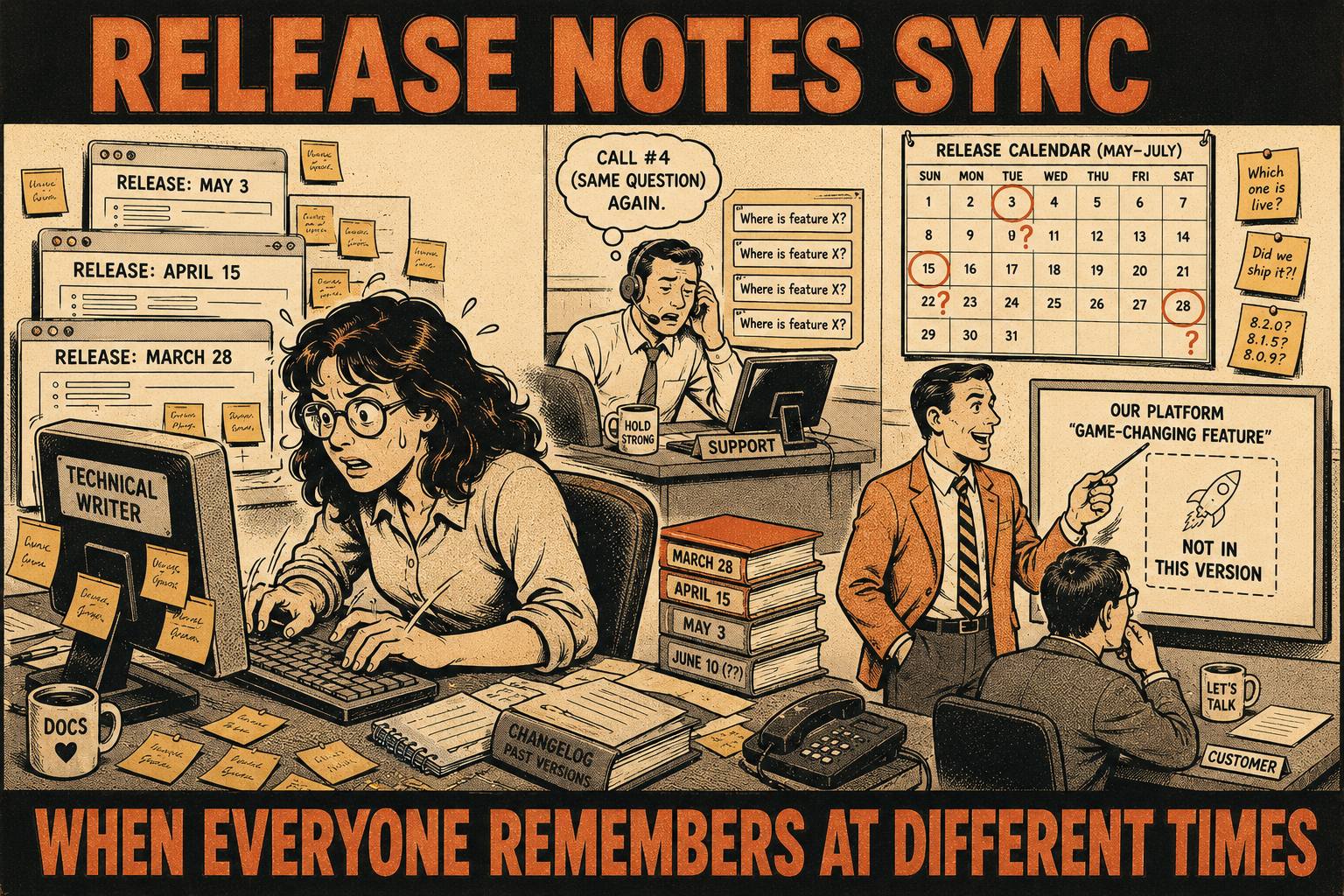
What Breaks When Release Notes Don't Sync
The direct costs are measurable. TSIA research shows 40–60% of support tickets can be resolved through documentation. Stale docs deflect nothing. A customer who follows your guide, fails, and then files a ticket is more frustrated than one who just filed a ticket directly.
The indirect costs are worse.
When customers follow your documentation and it doesn't work, they stop trusting it. After it happens twice, they stop reading it entirely. Now every question becomes a support ticket, even simple ones. Your help center exists but nobody uses it.
Sales teams working from outdated feature lists is a different kind of damage. It shows up in demos that don't match the product, in proposals that promise capabilities that were changed or removed, in renewal conversations where the customer has a different understanding of what they bought than the rep does.
And then there is the technical writer scrambling to backfill changelogs. This is not a documentation problem. It is a systems problem. The codebase and the help center do not talk to each other. When you merge a pull request, your CI runs tests and deploys to staging. Your help center does nothing.
How the Infrastructure Actually Works
There are three main approaches to syncing GitHub releases to GitBook. Each has real tradeoffs.
Native integrations and webhooks. GitBook's Git Sync allows technical teams to synchronize GitHub or GitLab repositories with GitBook. It is bi-directional, meaning changes made in GitBook's editor sync back to the repository, and commits made on GitHub sync forward to GitBook. This is the cleanest path for teams already storing documentation as Markdown files in their repositories.
The setup is straightforward. You connect the repository in GitBook, choose the branch, and configure the sync direction. From there, any commit to the documentation branch triggers an update.
For release notes specifically, you can go further with GitHub Actions. GitHub fires a release event when a release is published, and you can trigger a workflow on on: release: types: [published] — a distinction that matters, because draft releases do not fire the event. That workflow can call GitBook's API, authenticated with a Bearer token from your developer settings, to push content to a specific space or page.
The GitBook API base URL is https://api.gitbook.com/v1. All requests require a Bearer token tied to a GitBook user account. You store that token as a GitHub Actions secret, reference it in the workflow, and the pipeline handles the rest.
CI/CD pipeline integration. Teams that want tighter control embed documentation updates directly into their release pipelines. The pattern looks like this: the pipeline generates a Markdown file from the release body, commits it to the documentation branch, and the Git Sync picks it up automatically.
For versioned documentation, you can extract the version number from the GITHUB_REF environment variable and use it to create version-specific directories. This approach — triggering on release: published and using ${{ env.RELEASE_VERSION }} to store docs in a versioned directory — works cleanly with GitHub Pages and can be adapted for GitBook's Git Sync.
Third-party automation tools. Zapier and Make can connect GitHub release events to GitBook API calls without writing a workflow file. For teams without engineering bandwidth to maintain YAML, this is a reasonable starting point.
The honest tradeoff: third-party automation tools introduce a dependency that you do not control. Webhooks are fragile. If the automation platform is down when a release fires, the event is lost. If the authentication token expires and nobody notices, releases silently stop syncing. You are trading maintenance overhead for setup speed, and the maintenance overhead tends to compound.
The Part Everyone Gets Wrong
Here is the thing about all three of these approaches. They assume you have well-formed release notes to sync.
If your release notes are manually written, syncing them is just moving manual work around. You have not automated anything. You have added a pipeline step that moves a human-written document from one place to another.
The better path is generating structured release notes directly from the engineering workflow, then syncing that output.
This requires a convention. The Conventional Commits specification is a lightweight convention on top of commit messages that provides rules for creating an explicit commit history. A feat: prefix signals a new feature. A fix: prefix signals a bug fix. A BREAKING CHANGE footer signals a breaking API change. These prefixes map directly to semantic versioning increments — the MAJOR.MINOR.PATCH scheme where each number communicates the nature of the change — which means the version number itself can be determined automatically from the commit history.
Tools like Release Please parse this history and automate changelog generation, the creation of GitHub releases, and version bumps. They maintain a release pull request that stays up-to-date as additional work is merged. When you are ready to tag a release, you merge the PR. The changelog is written, the release is tagged, and the GitHub release is created.
The output is structured. It is machine-readable. It is ready to sync.
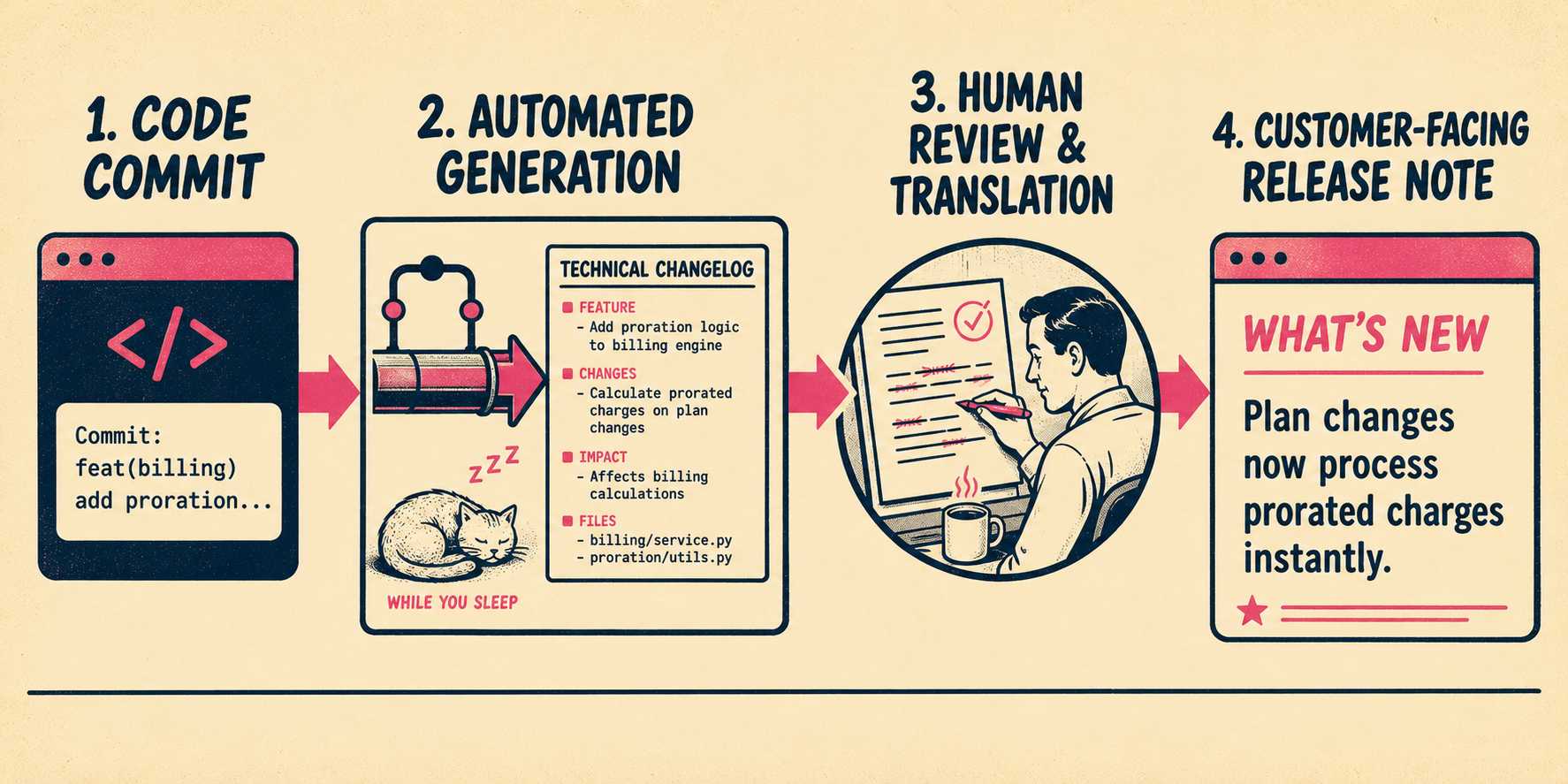
But raw commit logs are not release notes. They are technical receipts. feat(auth): add OAuth2 support for enterprise SSO is useful to an engineer. It is not useful to a customer who wants to know what changed and why it matters to them.
Why a Skilled Reviewer Still Matters
This is where the workforce transformation argument lands.
The technical writer is not drafting from scratch anymore. They are running a system that does the drafting and ensuring it meets standards. The difference is significant. Skyflow's two-person documentation team used an AI-powered workflow to reduce initial draft creation from four days to five minutes, while expert review time dropped from three days to two. The writers became documentation strategists.
The same logic applies here. A skilled writer reviewing a generated changelog can catch the edge cases the automation misses. They can translate feat(billing): add proration support for mid-cycle plan changes into language that a customer can act on. They can flag when a breaking change is buried in the notes in a way that will generate support tickets.
The automation produces speed and consistency. The human produces clarity and judgment. Neither is sufficient alone.
Tom Johnson, an API technical writer at Google, notes that using file diffs and AI to generate release note drafts revealed a key pattern: engineers don't always know what they're releasing, and they often don't tell technical writers about many of the changes they're making. The writer who is running the system catches things that would otherwise slip through.
Common Failure Modes and How to Spot Them
The automation breaks in predictable ways. A troubleshooting checklist:
- Broken webhooks. The release event fires but the downstream system does not receive it. Check the webhook delivery log in your GitHub repository settings under Settings > Webhooks. GitHub shows every delivery attempt and the response code.
- Rate limiting. If you are pushing many releases in a short window, the GitBook API may return 429 errors. Add retry logic with exponential backoff to your workflow.
- Authentication expiry. Personal access tokens do not expire by default in GitBook, but if you rotate them or revoke them, the sync silently stops. Store the token as a GitHub Actions secret and set a calendar reminder to audit it quarterly.
- Merge conflicts. If both the GitBook editor and the GitHub repository are modified simultaneously, Git Sync will surface a conflict. Establish a clear ownership rule: either the repository is the source of truth, or GitBook is. Mixing both creates conflicts.
- Versioning mismatches. If your release tagging convention changes (say, from v1.2.3 to 1.2.3), scripts that parse the version from GITHUB_REF will break silently. Validate the version format in your workflow before using it.
- Draft releases. Workflows triggered on release: published will not fire for draft releases. If your team stages releases as drafts, test with the created activity type instead, but be aware it fires earlier in the process.
The Upstream Fix
If your team is still manually copying release notes into GitBook, the problem is not the copy-paste.
The problem is that you are generating release notes manually in the first place. The copy-paste is just the most visible symptom.
The right fix is automating the generation step so there is a structured feed to sync. Conventional commits give the pipeline the raw material. Tools like Release Please turn that material into a changelog. A skilled writer validates the output and ensures it meets the standard your customers expect.
Then the sync is just a sync. A webhook, a GitHub Actions workflow, a Git Sync — any of them will work reliably when the content they are moving is already structured and validated.
Doc Holiday is built for exactly this workflow: release notes generated directly from commits and pull requests, with structure for validation and publishing to GitBook or any other destination. The writer is not drafting from scratch. They are managing a feed that the engineering workflow produces.
That is a different job. It is a better job. And it scales.



