How to Write Release Notes for a Feature Replacement


An engineering team presses merge on a new, faster, more reliable feature. They feel a sense of accomplishment. They replaced the old, brittle system with something better. They write a quick release note announcing the upgrade.
Across the world, a user reads that note and immediately feels a spike of anxiety.
The user does not care about the new architecture. The user cares that the button they click every morning is gone. They care that the workflow they rely on is broken. They care that they now have to learn something new, and they are not sure if the new thing even does what the old thing did.
Writing release notes for a feature replacement is fundamentally different from writing standard release notes. Standard release notes assume a net-positive change. They announce new capabilities. Replacement notes announce a loss. You are telling users that something they rely on is going away, and you are asking them to trust that the new thing is worth the disruption.
The goal of a replacement release note is not to celebrate the new feature. The goal is to eliminate uncertainty. You have to give users a migration path before they even think to ask for one. If you do this poorly, you erode trust and flood your support queue. If you do it well, you turn a potentially painful change into a smooth transition.
Why These Notes Are Harder to Write Than They Look
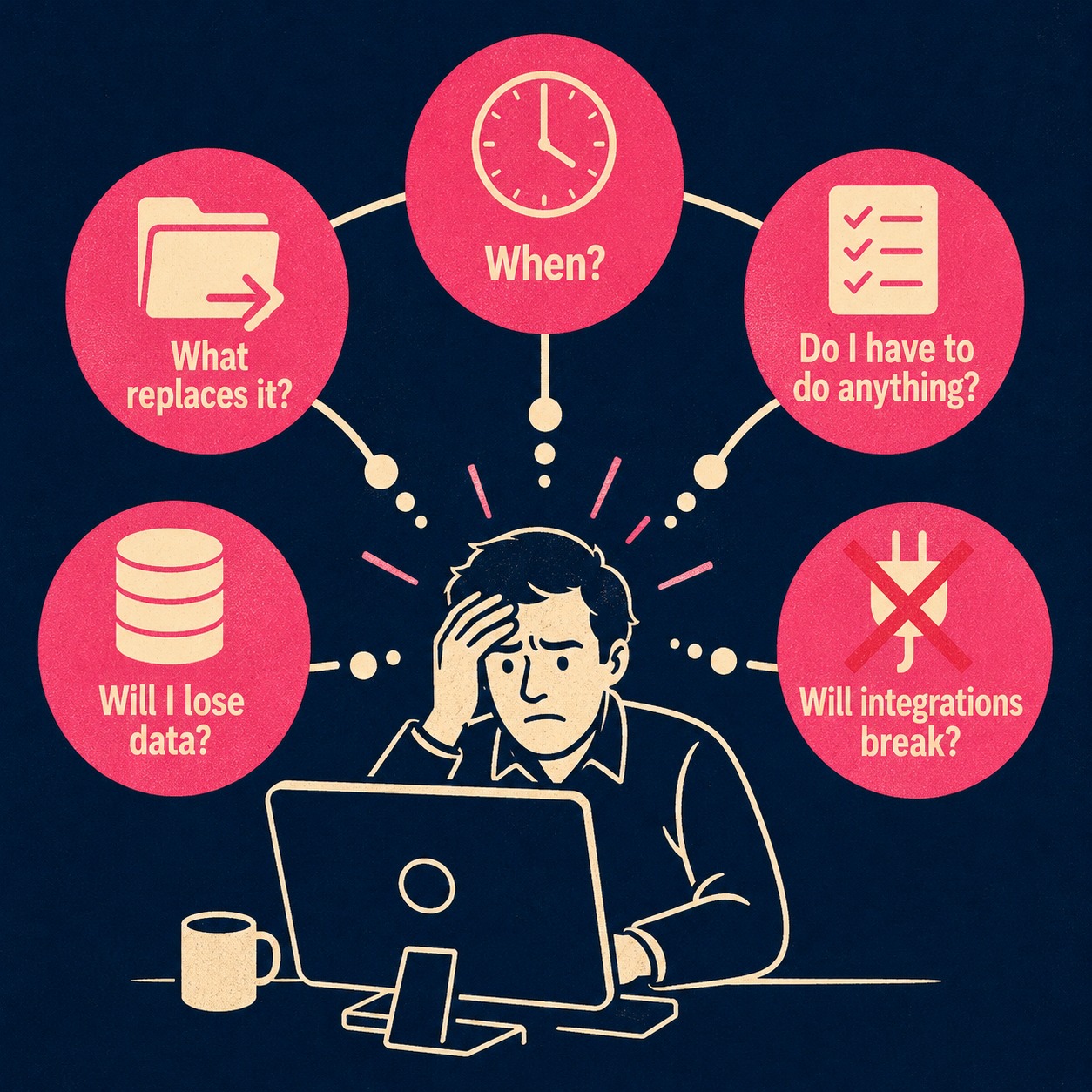
When a user reads that a feature is being deprecated, they immediately run through a mental checklist. What is going away? When is it going away? What replaces it? Do I have to do anything? Will I lose data? Will my integrations break?
If your release note does not answer these questions immediately, the user will assume the worst.
This reaction is not irrational. People feel the pain of losing something much more strongly than the pleasure of gaining something equivalent, a phenomenon well-documented in behavioral research on loss aversion. When you take away a feature, you trigger that aversion. You are removing their familiarity and their competence. The user was good at using the old thing. Now they have to start over.
The Slack design team, which has navigated multiple high-profile deprecations, puts it plainly: "It can be disruptive or even devastating when an important tool disappears." Their approach is to frame every deprecation communication around what the change means for the user, not around the internal rationale for making it. You can read their full guidance on writing for deprecation for more on this framing.
To counteract the anxiety, you have to prove that the change is worth the disruption. You cannot just say "we made it better." You have to show exactly how it is better, and exactly how the user gets there.
The Six Things Your Release Note Has to Answer
The framework for a replacement release note is not complicated. What makes it hard is the discipline to include all six elements, even when some of them are uncomfortable to write.
Start by framing the change as an improvement. Introduce the new feature and explain what it does better. If it is faster, say how much faster. If it reduces steps, explain which steps. Then, in the very next sentence, clarify what is being deprecated. Users should know within the first two sentences whether this change affects them.
Here is what weak execution looks like:
"We are sunsetting the legacy reporting tool in favor of the new analytics dashboard. Please migrate before the end of Q3."
This creates immediate anxiety. "Sunsetting" is jargon that sounds softer than it is, and "end of Q3" is not a date. The user has no idea what the new dashboard does, why the old tool is going away, or what "migrate" actually means for them. As the Slack design team notes, "it may seem more humane to use softer, more vague language, but in practice it delays their understanding and wastes their time."
Here is what strong execution looks like:
"The new analytics dashboard generates reports in under three seconds (compared to 20+ seconds in the legacy tool) and supports custom date ranges. It replaces the legacy reporting tool, which will stop receiving updates on November 1st and be removed on February 1st. To migrate, go to Settings > Reports and click 'Switch to new dashboard.' Your saved report configurations will transfer automatically."
This frames the loss as a necessary step toward a tangible gain. It gives a specific date. It tells the user exactly what to do. And it answers the question users are most afraid to ask: will I lose my data?
Be Honest About the Why
Users are skeptical of change they did not ask for. If you give a vague reason for the deprecation, they will assume you are hiding something.
Be honest about the why. If the old feature was built on deprecated infrastructure, say so. If it had performance problems that could not be fixed, say that. If customer feedback drove the change, mention it. The Atlassian design team, which has navigated its own share of feature removals, makes the case directly: "It's important to explain why you're doing this. Communicate with your users so they understand, and give them a chance to prepare."
Google's engineering documentation makes a similar point: maintaining two systems that do the same thing creates compounding costs and slows down the entire product. You do not need to explain your internal engineering costs to the user, but you do need to explain why the old system could no longer serve them well.
Honesty builds trust. When you admit that the old feature had limitations, you validate the user's experience. They probably knew it had limitations, too.
The Migration Path Is the Most Important Thing You Will Write
The release note is not the migration guide. But it must give users enough to start moving.
If there is a one-click migration tool, put it front and center. If the migration requires manual reconfiguration, provide a summary of the steps and link to detailed documentation. If certain edge cases are not yet supported, say so before the user discovers them mid-migration.
Do not assume users will figure it out. Research on cognitive load shows that learning is hampered when working memory is overwhelmed. Forcing a user to guess how to map their old workflow to a new interface is a significant cognitive burden, particularly when they are under deadline pressure and did not choose to make this change.
The release note should answer the migration question at a summary level. The detailed migration guide handles the rest. As technical writer Tom Johnson notes, release notes are "meant to be short teasers for content elaborated in the documentation pages," and a well-structured release note will have multiple "For more information, see..." links. The Doc Holiday blog post on breaking configuration changes covers this separation in more detail. The announcement and the migration guide are different documents serving different purposes. Do not try to make one do the other's job.
The Timeline Is a Contract
Uncertainty is the enemy of trust. You must define the timeline explicitly, and you must include both key dates: when the old feature stops receiving updates, and when it stops working entirely.
Stripe has built its reputation partly on API stability, and the strategy behind that stability is being explicit about what changes and when. Will Larson's breakdown of Stripe's API deprecation strategy shows how seriously they treat this: they do not break things silently, and they give developers ample time to migrate. The industry standard for enterprise APIs is a six-month announcement period, twelve months of active migration support, and eighteen to twenty-four months total before removal. Your timeline does not need to match those numbers exactly, but it needs to exist and it needs to be published.
"We plan to deprecate this feature in a future release" is not a timeline. It is a way of avoiding commitment. A timeline tells the user whether this is urgent or something to schedule for next quarter. Without it, every user has to assume the worst.
What to Do When the New Feature Is Not Quite There Yet
This is where most replacement announcements fail. The new feature is almost never a perfect one-to-one replacement for the old one. There are edge cases. There are missing capabilities. There are workflows that worked in the old system that do not yet work in the new one.
Acknowledge these gaps honestly.
A systematic review of breaking changes across major software ecosystems found that a significant portion of breaking changes are not documented at all, and the ones that get missed are usually behavioral: the interface looks the same, but something downstream breaks. This is Hyrum's Law in practice: with enough users, someone will be depending on every observable behavior of your system, including the ones you never intended to document. When you remove a feature, you are breaking those implicit dependencies.
If the new feature does not support a specific workflow that the old one did, say so. Explain whether that functionality is coming later, or if there is a workaround. If you are announcing a replacement before full parity is achieved, be direct about it: "The new dashboard does not yet support scheduled email exports. That capability is planned for Q1. In the meantime, you can export manually from the Reports tab."
Pretending parity exists when it does not is a fast track to support tickets. Disclosing the gap upfront manages expectations and gives users the information they need to decide whether to migrate now or wait.
Tone and What It Signals
Replacement notes need to sound confident in the new direction without dismissing users' attachment to the old feature. They were not wrong to rely on it. It was a valid tool at the time.
Avoid language that implies the old feature was bad, or that users who relied on it were behind the times. Avoid language that is so apologetic it sounds like you made a mistake. The right frame is: we built something better, and here is how to move over smoothly.
Swagger's guidance on API deprecation captures this well: "Deprecation is the final stage for an API, and should be done so with care and empathy." The goal is not to minimize the disruption. The goal is to acknowledge it honestly and give users the tools to navigate it.
One practical note on language: avoid the word "sunsetting." It has become so overused that it now reads as a euphemism for "we are not going to tell you clearly what is happening." Use "deprecated" or "removed" or "replaced." Users understand these words, and they are more honest.
The Documentation That Has to Exist Before the Release Note Goes Out
The release note is the announcement. It is not the complete documentation package.
Before the release note goes out, you need a migration guide that covers the common path in detail, a support briefing so your team is not learning about the change from angry customers, and updated tutorials that reflect the new feature. If the old feature appears in any onboarding flows or help center articles, those need to be updated or redirected.
Good documentation before a release cuts inbound support volume significantly. Research across multiple SaaS companies shows that well-structured documentation can reduce support tickets by 20 to 66 percent. The reduction comes from informing users before they encounter the problem, not from better documentation after the fact. A proactive communication strategy, including in-product banners and email notices before the change ships, can cut inbound inquiry volume by 25 to 40 percent on average.
The support team should be briefed before the release note goes to customers. They often know how users will react before the product team does. Bringing them in early is both a quality check and an early warning system.
The Support Tickets Will Come Anyway
You will still get support tickets. You cannot change a product without someone asking for help.
But a good release note changes the nature of those tickets. Instead of angry messages asking why you broke their workflow, you get practical questions about specific migration steps. The tone shifts from "you broke my product" to "I need help moving over." That is a much easier conversation for everyone.
Writing these notes is hard work. It requires pulling context from engineering, understanding the user impact, and drafting clear, empathetic prose while the code is still shipping. The teams that handle it well are not the ones with the most process. They are the ones who treat documentation as part of the engineering workflow, not something that happens after the code is merged.
Doc Holiday can accelerate that process by generating a structured first draft from engineering workflows, pulling in commit history, architectural changes, and existing migration documentation. That draft is a starting point, not a finished product. A technical writer or product manager still needs to review it for accuracy, fill in context that does not live in the codebase, and calibrate the tone for the specific audience receiving the news. The value is in having the structure and the raw material assembled before you sit down to write, so the human work can focus on judgment and empathy rather than information gathering.



